The Sequence Builder is designed to automate shot creation and shot-length management using a single CSV scene file. It is an editor utility widget, mostly made with blueprints nodes (including some python) and originally made for Unreal Engine 5.3 before the existence of Epic’s Cinematic Assembly Tools.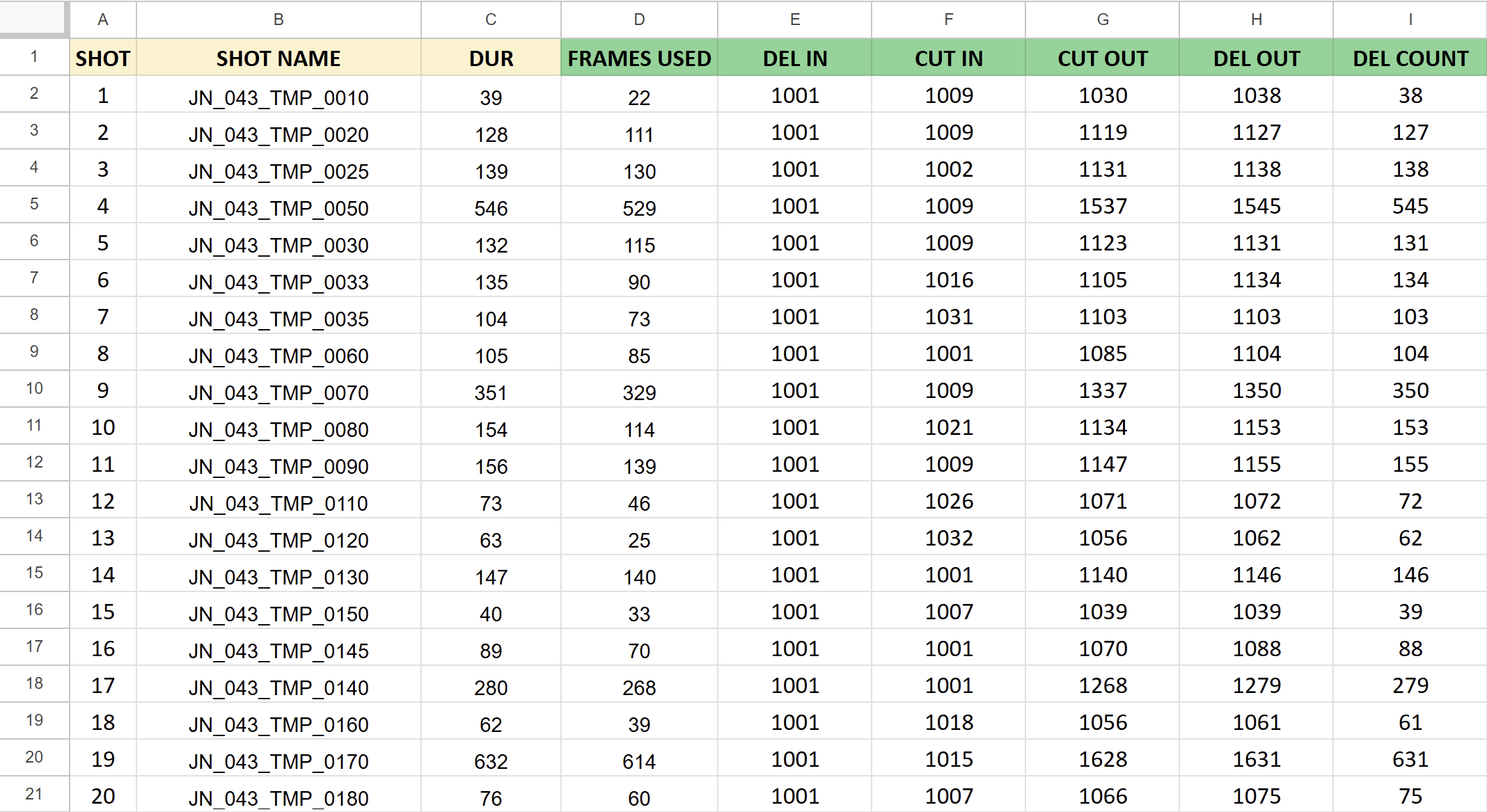
Each row is a unique shot. The DEL (Delivery) IN and DEL OUT which are used by the tool to set the start and end for the shot, the CUT IN and CUT OUT are used for the Master Level Sequence so you can scrub through the entire scene cut together without the handles (unused frames) in one sequence. The SHOT NAME contains the scene number, scene three letter code and shot number which are extracted out using a blueprint Python node and makes use of Regular Expressions (Regex). The DUR, FRAMES USED and DEL COUNT aren’t used directly but are checked to verify the other numbers.
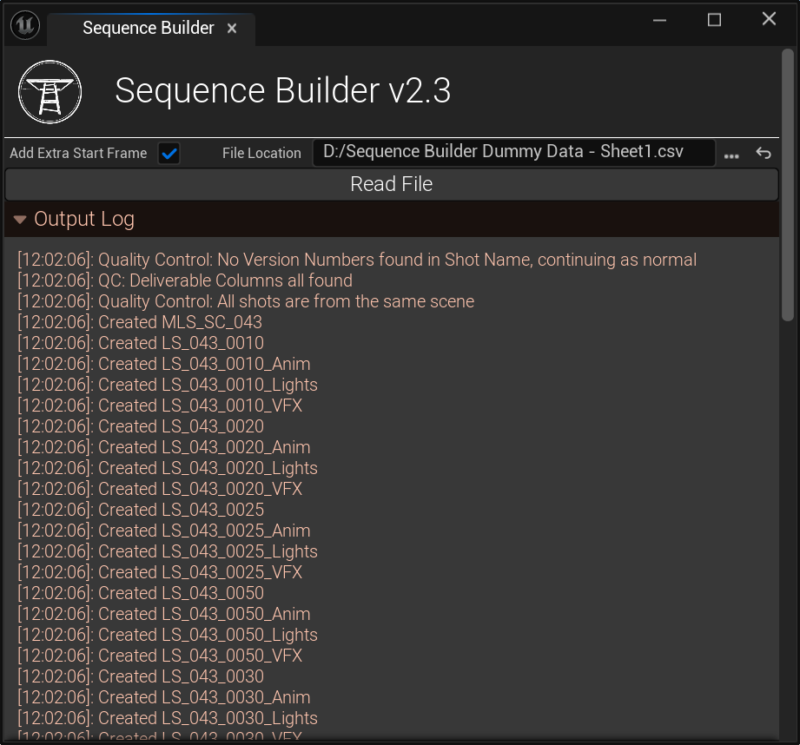 The tool is very straightforward to use, you select the CSV file and press the read file button and it’ll create or edit all the shots into the content browser. The “Add Extra Start Frame” tickbox which is enabled by default was added later in the pipeline due to the client requesting a burn in slate (single first frame) at the start of renders.
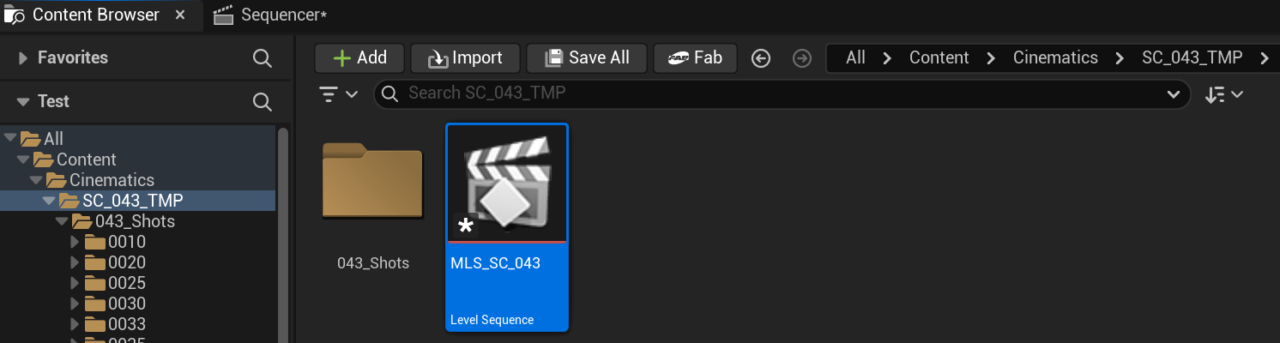 It creates a subfolder within the Cinematics folder called SC_043_TMP, then inside that folder is created the Master Level Sequence called MLS_SC_043, and a 043_Shots folder which contains the individual shots.
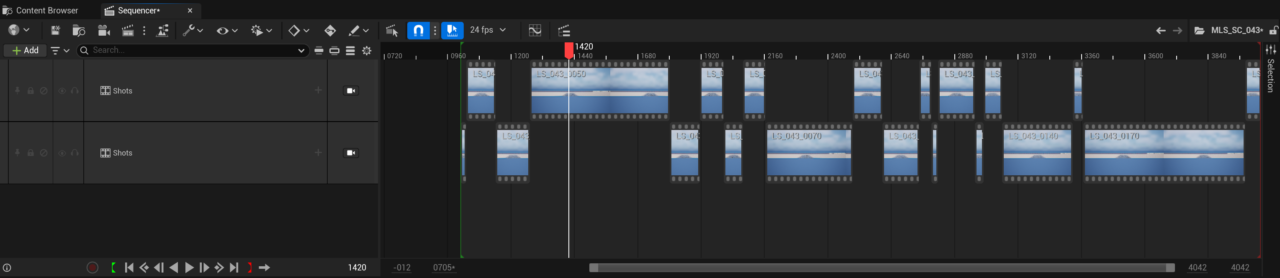 Opening up the Master Level Sequence you can see the shots are interlaced and spread across two shot tracks, this enables the user to easily extend a shot from within the Master Level Sequence view if they wish.
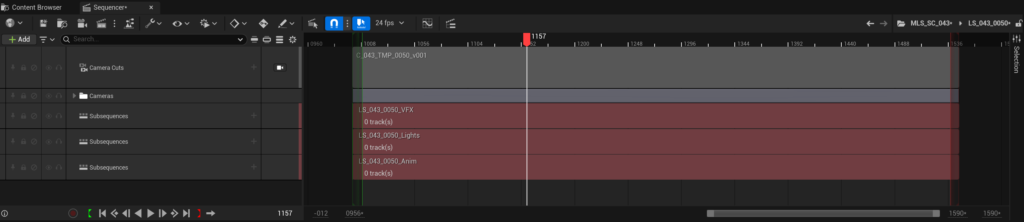 The shot is made up of a camera, a camera cut track and three sub level sequences: VFXs, Lights and Anim (Animation). The subsequences are empty and ready to be populated. The shot endframe is one frame extra to the DEL OUT because Unreal only renders until the frame before the end.
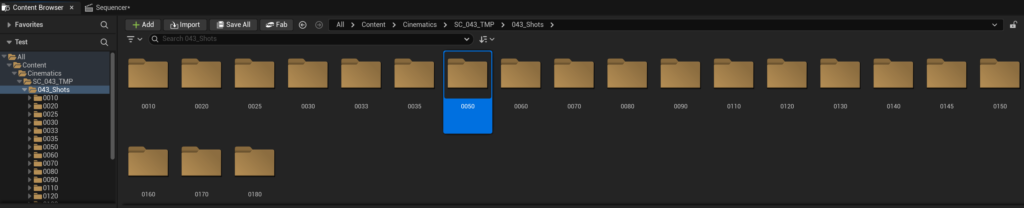 Within the 043_Shots folder each shot is split into its own folder.
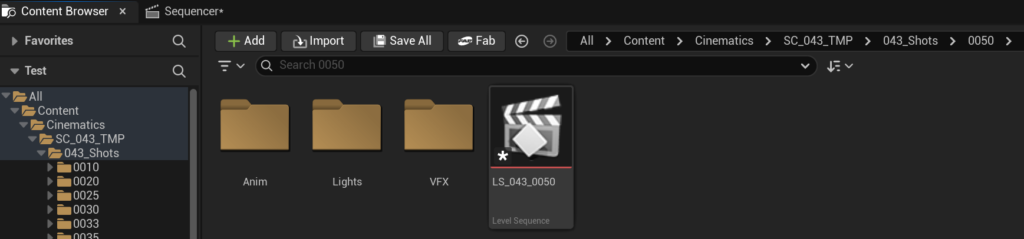 A shot folder contains the shot’s level sequence in this case LS_043_0050 and subfolders for each subsequence type.
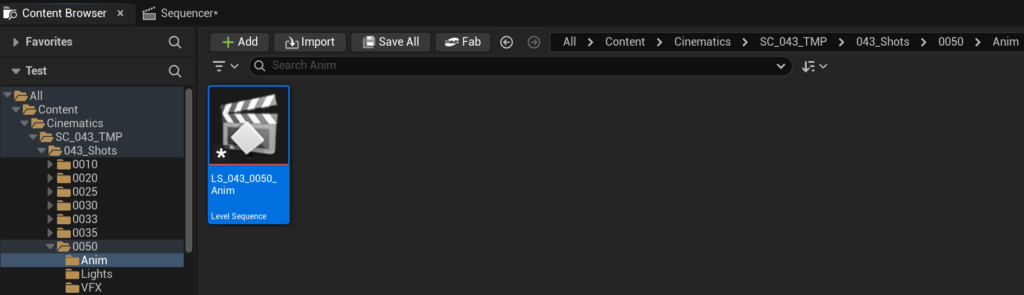 Each subsequence folder contains the shot type’s subsequence in this case LS_043_0050. This folder would also contain the shot’s Animation Sequences.